License and trial
The Account pane, the 5-day trial, activating a key, moving between Macs, and working offline.
The Account pane
The row at the top of the Settings sidebar is your account: a photo, the email your key was bought with (or “Dabbit trial” before there is one), and where the license stands: days left, licensed, updates ended. Click it for the Account pane.
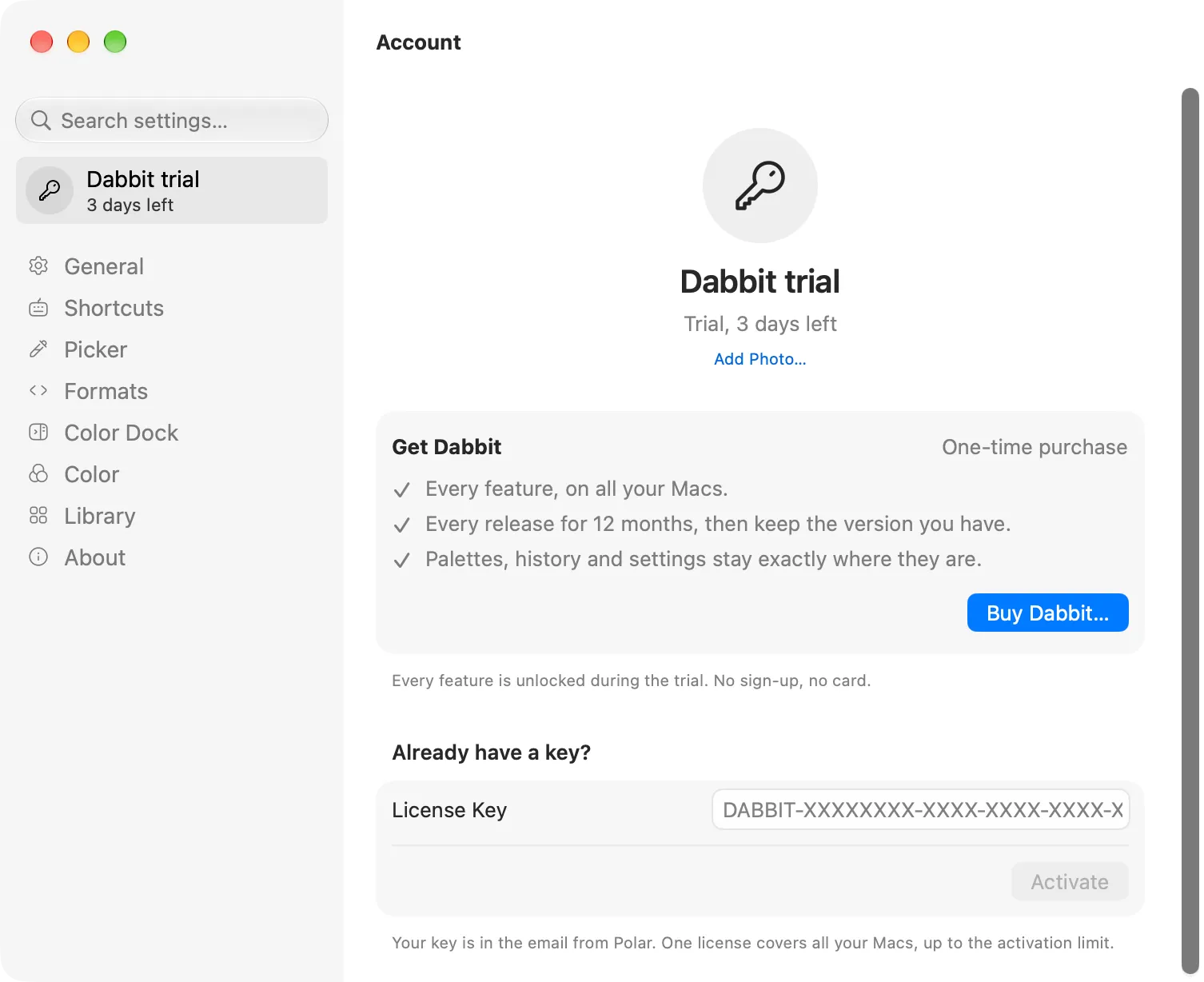
The pane says what you have and what there is to do about it. On the trial that’s a Get Dabbit card with Buy Dabbit…, and the key field underneath for a key you already have. Once licensed, the card shows the date your updates run to and Renew Updates…; after the date, that Dabbit keeps working as it is and which newer version a renewal would bring. A lifetime license gets a card that says so and nothing to renew. Below the card: the masked key, the email, Manage in Polar… and Deactivate this Mac…, and a field for a renewal key.
There is no sign-in. The photo is yours to set: click the avatar (or Add Photo… under it) and pick an image; it stays on this Mac. With a license and no photo of your own, the Gravatar for the email is used if there is one. Only a hash of the address is sent to look it up.
The trial
Dabbit runs for 5 days with everything switched on. No sign-up, no card, no reminder emails. The account row shows the days left.
When the trial ends, Dabbit pauses: the window and the menu bar dropdown show one screen, with Buy Dabbit… and Enter License Key…, and nothing else works until a key is in. Your palettes, recent picks, formats and settings are all still there; activating a key picks up where you left off.
Buying
Buy a license: from $19, once, for 1, 2 or 3 Macs, with every release for 12 months included (see Updates). Payment is handled by Polar; the key is on the confirmation page and in your email right away, and looks like DABBIT-XXXXXXXX-XXXX-XXXX-XXXX-XXXXXXXXXXXX.
Buying for a team: set the number of seats at checkout, then assign them by email from your account. Each person gets their own key.
Activating
Settings → Account → paste the key → Activate. The Mac is registered against your key, and the pane shows the masked key, the email it was bought with, and Manage in Polar…, which opens your Polar account (below).
Your Polar account
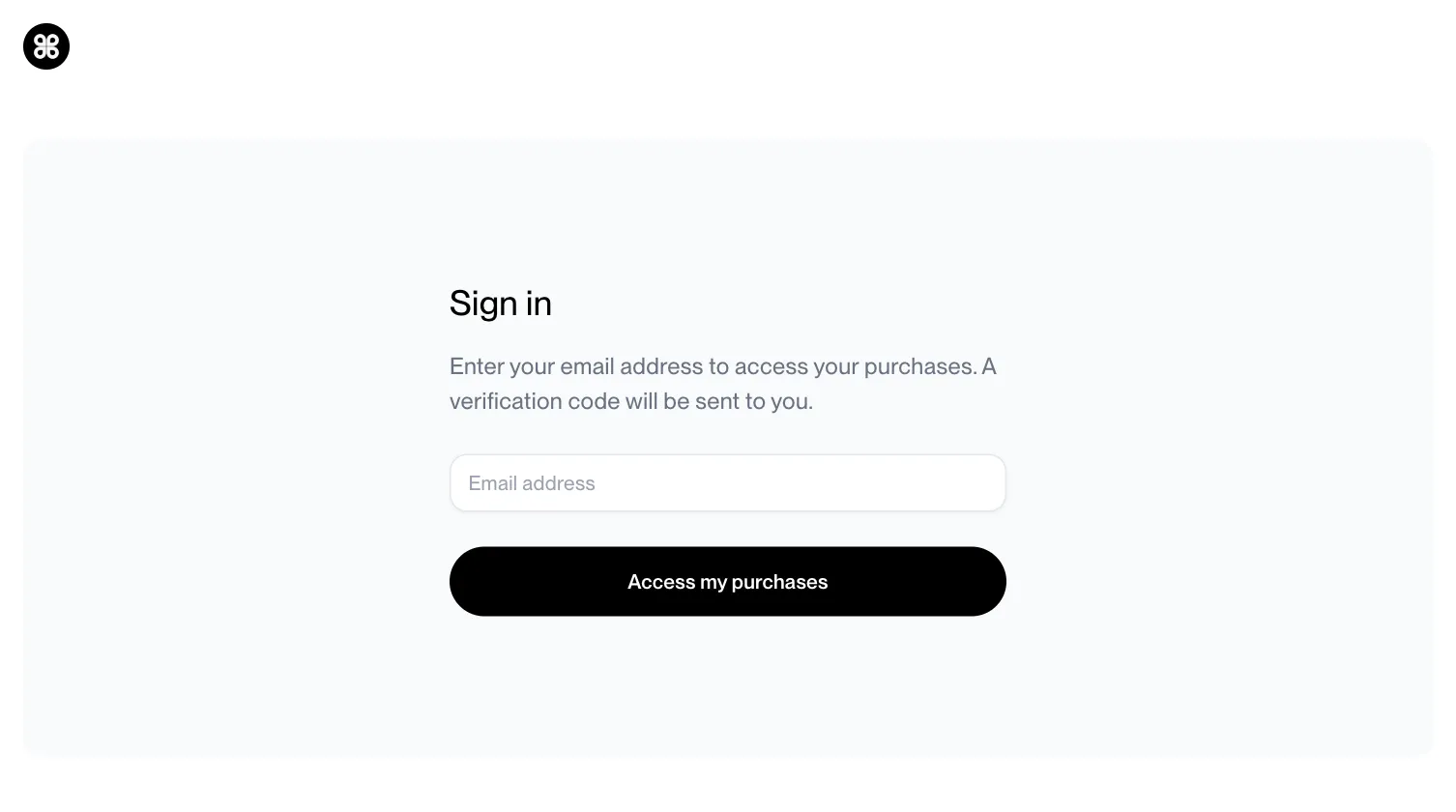
Lost the email with the key, or need an invoice? Sign in with the email you bought with. There’s no password: Polar emails you a code, and you’re in. Your orders, the key, invoices and a refund button are all there.
Several Macs
One key activates on as many Macs as the license was bought for (1, 2 or 3). To move it, Deactivate this Mac… on the old one, then activate on the new one. If a Mac is gone (sold, wiped) and you can’t deactivate it from there, write to support with your key and we’ll free the slot. For more Macs at once, buy another license and use its key on the new Mac.
Offline
Dabbit checks the key with Polar occasionally, in the background. Without a connection it keeps working for 14 days on the last successful check, and the Account pane says so (“Licensed, offline”). If Polar itself is down or rate-limiting, that counts as offline, not as a bad key.
Refunds
If Dabbit doesn’t do what you bought it for, email within 14 days of purchase and you’ll be refunded. How refunds work.