Exporting
A palette as code, tokens or a swatch file.
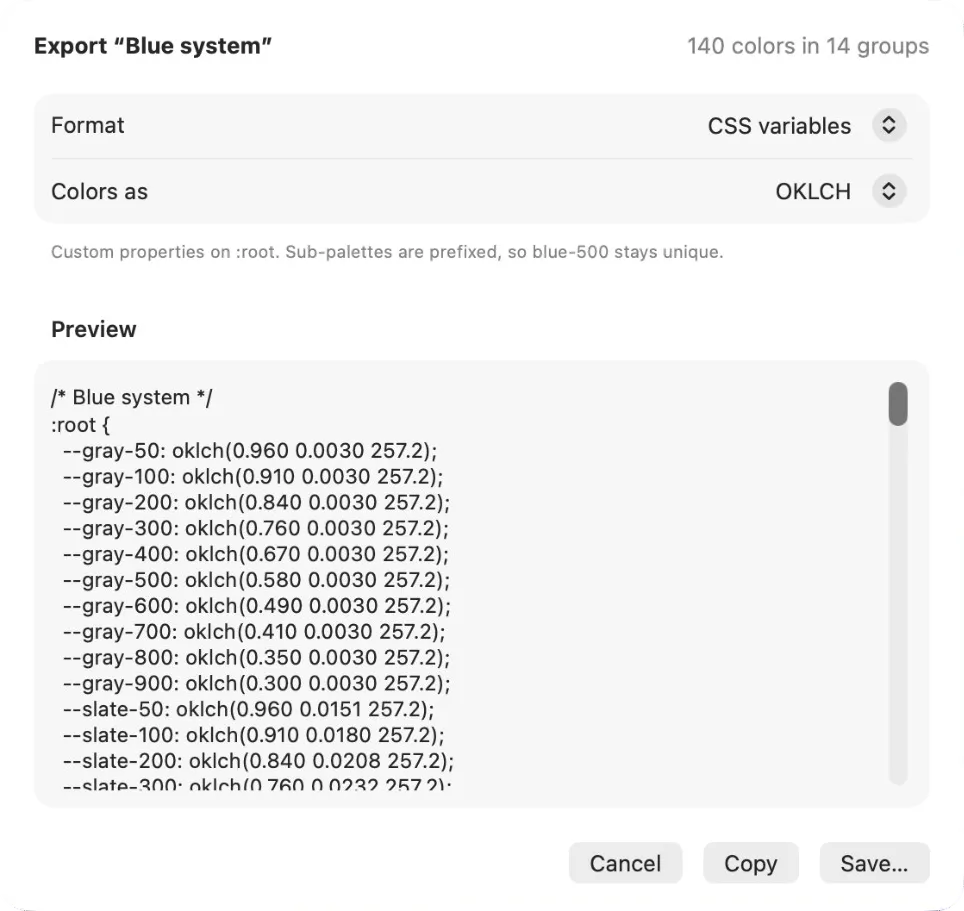
Export… on any palette (⇧⌘E, or the palette’s menu) opens a sheet with a live preview. Copy the result or save it as a file. Sub-palettes become prefixes or groups, so blue-500 and red-500 never collide.
Formats
Code
- CSS variables: custom properties on
:root. - SCSS variables: one
$variableper color. - Tailwind @theme: an
@themeblock for Tailwind v4, in OKLCH. - SwiftUI extension:
Colorstatics, P3 where the palette uses it. - UIKit extension: the same as
UIColor. - Android colors.xml:
res/values/colors.xmlwith ARGB hex. - Jetpack Compose: top-level
Colorvalues.
Design tools
- Figma variables: W3C Design Tokens JSON. Import it from Figma’s variables panel or Tokens Studio; sub-palettes become groups. (If Dabbit is running, the Figma plugin does this in one click, without a file.)
- Adobe Swatch Exchange: an
.asefile for Photoshop, Illustrator, InDesign and Affinity. - Apple color list: a
.clrfile for the system color panel. Save it into~/Library/Colorsand every Mac app’s color picker gets a tab with your palette.
Data
- Dabbit JSON: everything, including names, notes and groups. Import it back into Dabbit on any Mac.
- Plain text: one color per line, with its name.
Single colors
For one color rather than a palette, you don’t export: pick a format and copy. Copy as in the menu bar, the Color Dock, or any swatch’s menu gives every format for that color.